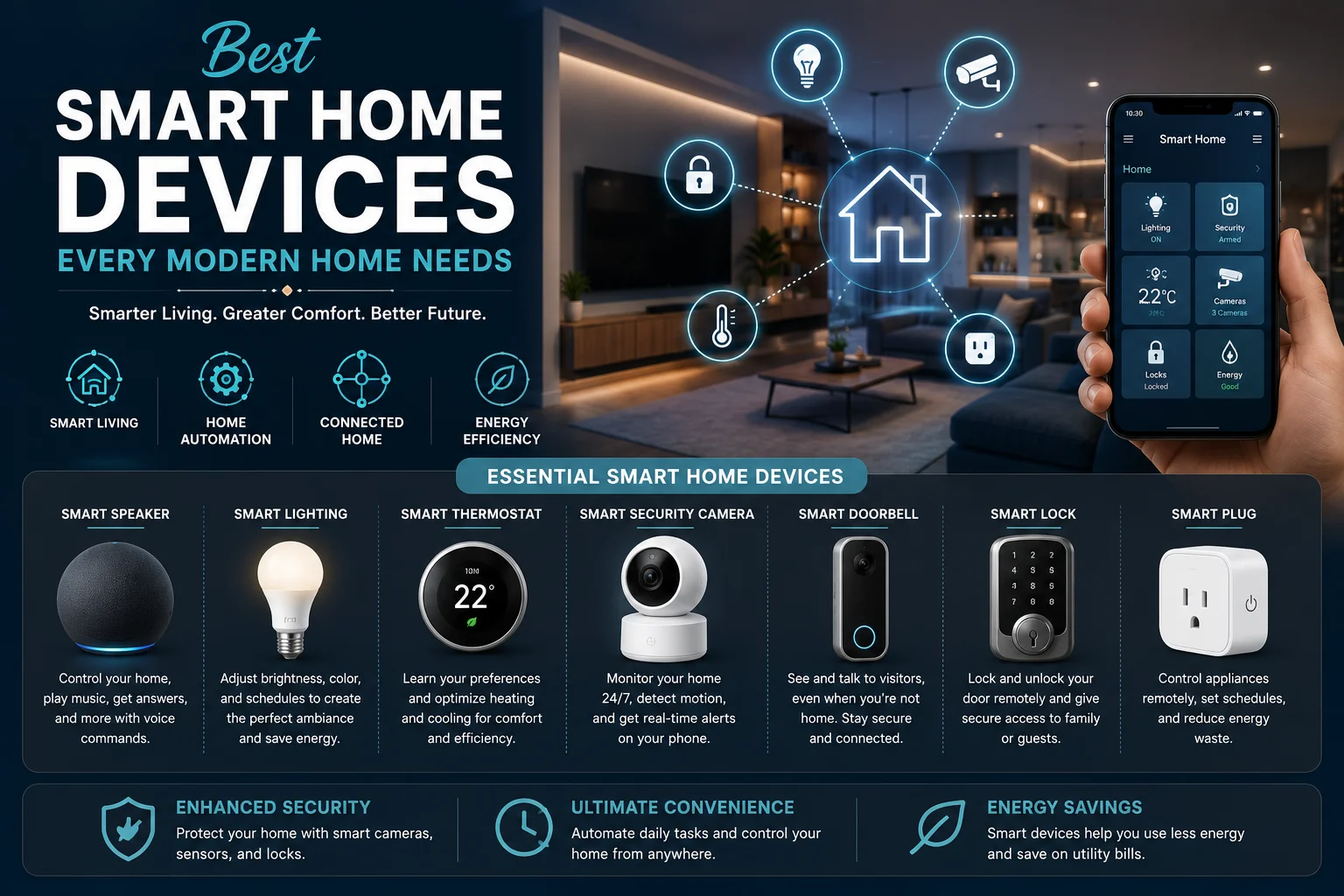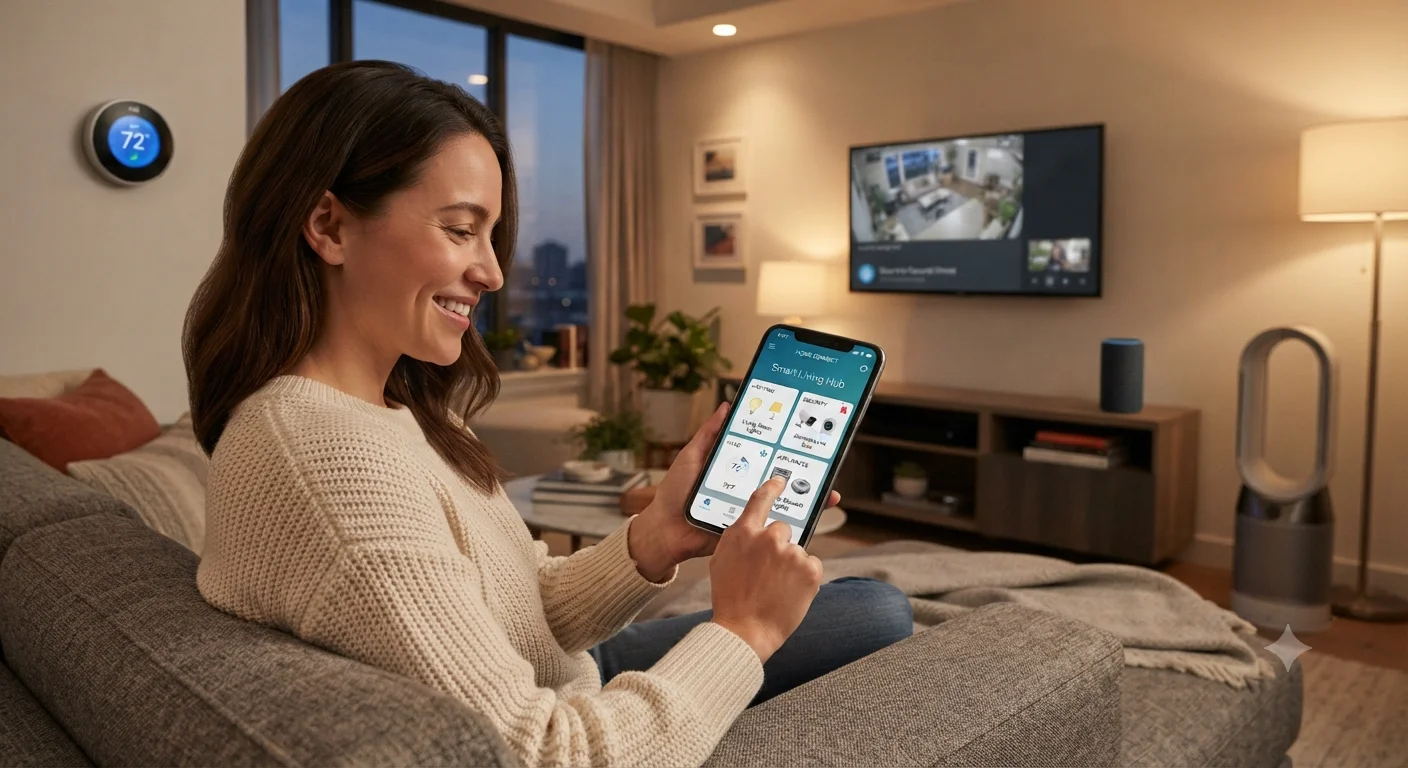
The idea of controlling every aspect of your home with nothing more than a smartphone was once considered futuristic. Today, it has become an everyday reality for millions of homeowners around the world. Thanks to rapid advances in connected technology, wireless communication, and cloud computing, modern smart homes allow users to manage lighting, security systems, climate control, appliances, entertainment devices, and much more with just a few taps on a mobile device.
The growing popularity of smart home control solutions is driven by convenience, security, energy efficiency, and personalization. Whether you’re at work, traveling abroad, or simply relaxing on your couch, your smartphone becomes the central hub for managing every connected device in your home. Using a reliable smart home app, homeowners can monitor security cameras, adjust thermostat settings, switch lights on or off, receive instant alerts, and even automate daily routines without being physically present.
As more manufacturers develop compatible smart devices, homeowners now enjoy greater flexibility than ever before. A modern home automation app can integrate products from multiple brands, creating a unified ecosystem that simplifies daily living. Combined with fast Wi-Fi, cloud services, and artificial intelligence, today’s mobile smart home technology offers a seamless experience that continues to improve year after year.
In this comprehensive guide, we’ll explore how smartphone-based home automation works, the devices you can control, the benefits of centralized management, practical setup tips, security considerations, and how to build a smart home that fits your lifestyle.
read more about community amenities
What Is Smart Home Control?
Smart home control refers to the ability to monitor, manage, and automate connected household systems using digital technology.
Instead of manually operating every light switch, thermostat, or appliance, homeowners use software to control multiple devices from one place.
Most smart home systems include:
- Wireless connectivity
- Internet access
- Mobile applications
- Cloud synchronization
- Automation rules
- Remote monitoring
The smartphone acts as the primary control center, allowing users to interact with their home regardless of location.
Why Smartphones Have Become the Center of Home Automation
Nearly everyone carries a smartphone throughout the day.
Rather than installing complicated wall-mounted controllers, manufacturers have focused on creating intuitive mobile applications.
A modern smart home app provides instant access to connected devices through a familiar interface.
Benefits include:
- Easy installation
- User-friendly controls
- Real-time notifications
- Remote access
- Automatic software updates
- Voice assistant integration
Because smartphones are always nearby, managing a smart home becomes simple and convenient.
How Smart Home Systems Work
Although every manufacturer has its own ecosystem, most systems follow a similar process.
Step 1: Smart Devices Connect
Individual smart devices connect through technologies such as:
- Wi-Fi
- Bluetooth
- Zigbee
- Z-Wave
- Thread
- Matter-compatible networks
Each device communicates either directly with your smartphone or through a smart hub.
Step 2: Devices Register in the App
After installation, devices appear inside the home automation app.
Users can:
- Rename devices
- Assign rooms
- Create groups
- Adjust settings
Organization makes managing larger homes much easier.
Step 3: Cloud Synchronization
Most systems synchronize settings securely through cloud services.
This allows homeowners to:
- Access devices remotely
- Share access with family members
- Restore settings after replacing phones
Cloud synchronization ensures your home remains connected wherever you are.
Advantages of Smartphone-Based Smart Home Control
The popularity of mobile smart home systems continues to grow because they provide numerous practical benefits.
Convenience
Perhaps the greatest advantage is convenience.
Instead of walking through the house turning lights off individually, homeowners simply open the app.
Within seconds they can:
- Turn off lights
- Lock doors
- Adjust temperature
- Close blinds
- Arm security systems
Everything happens from one screen.
Remote Access
Imagine leaving home and suddenly wondering whether you locked the front door.
Rather than driving back, you simply check your smartphone.
Remote access allows homeowners to:
- Verify security status
- Unlock doors for guests
- Adjust heating
- Monitor cameras
- Turn appliances off
This capability provides tremendous peace of mind.
Better Energy Efficiency
Smart automation helps reduce unnecessary energy consumption.
For example:
- Lights automatically turn off when rooms become empty.
- Thermostats lower temperatures while homeowners are away.
- Smart plugs disconnect unused electronics.
Over time these adjustments may reduce electricity costs.
Improved Home Security
Modern smart home control systems significantly improve home security.
Users receive instant alerts whenever:
- Motion is detected.
- Doors open.
- Windows unlock.
- Smoke alarms activate.
- Water leaks occur.
Immediate notifications enable quicker responses during emergencies.
Controlling Smart Lighting
Lighting is often the first feature homeowners automate.
Using a smart home app, lighting becomes far more flexible than traditional switches.
Users can:
- Turn lights on remotely.
- Dim brightness.
- Change colors.
- Schedule lighting.
- Create lighting scenes.
For example:
- At sunset, outdoor lights automatically illuminate.
- Before bedtime, indoor lights gradually dim.
- Vacation mode randomly activates lights while you’re away.
These automations improve both comfort and security.
Managing Home Security From Your Phone
Security is one of the strongest reasons homeowners invest in smart technology.
A smartphone provides complete visibility over your property.
Smart Cameras
Live video feeds allow homeowners to monitor:
- Front doors
- Backyards
- Garages
- Driveways
- Indoor rooms
Many cameras also support:
- Night vision
- Motion detection
- Two-way audio
- Cloud recording
Smart Door Locks
Traditional keys are becoming less essential.
Smart locks allow users to:
- Lock remotely.
- Unlock remotely.
- Create temporary guest codes.
- Monitor entry history.
Parents can verify when children arrive home from school, while guests can receive temporary access without needing physical keys.
Video Doorbells
Smart doorbells have transformed home entrances.
Through the smart home app, homeowners can:
- See visitors.
- Speak through the doorbell.
- Receive motion alerts.
- Record deliveries.
This feature is especially useful when receiving packages while away from home.
Controlling HVAC Systems
Heating, ventilation, and air conditioning account for a large portion of household energy use.
Smart thermostats simplify climate management by allowing homeowners to:
- Adjust temperatures remotely.
- Schedule heating and cooling.
- Monitor energy usage.
- Create personalized comfort profiles.
For example, the thermostat can automatically lower cooling while you’re at work and restore your preferred temperature before you return home.
This automation balances comfort with energy efficiency.
Managing Smart Appliances
Today’s kitchens increasingly feature connected appliances.
Common examples include:
- Refrigerators
- Washing machines
- Dryers
- Ovens
- Dishwashers
- Coffee makers
Using a home automation app, homeowners can:
- Monitor washing cycles.
- Receive maintenance alerts.
- Preheat ovens before arriving home.
- Start coffee makers remotely.
- Track appliance status in real time.
These capabilities simplify everyday routines while saving time.
Entertainment System Control
A smartphone can also replace multiple remote controls.
Connected entertainment devices include:
- Smart TVs
- Streaming devices
- Wireless speakers
- Home theaters
- Projectors
Users can:
- Adjust volume.
- Launch streaming apps.
- Control music playback.
- Synchronize speakers.
- Create entertainment scenes.
For example, activating a “Movie Night” scene could automatically dim the lights, close the curtains, power on the TV, and start the sound system with a single tap.
read more about honor 200 lite
Managing Smart Blinds and Curtains
Motorized window coverings improve both comfort and energy efficiency.
Through mobile smart home technology, users can:
- Open blinds remotely.
- Schedule blinds to open at sunrise.
- Close curtains automatically at sunset.
- Reduce indoor heat during hot afternoons.
Automation also enhances privacy while maintaining convenience.
Creating Automation Routines
One of the most powerful features of smart home control is automation.
Instead of manually controlling each device, homeowners create routines that perform multiple actions simultaneously.
Good Morning Routine
When activated:
- Bedroom lights brighten gradually.
- Coffee machine starts brewing.
- Thermostat adjusts to a comfortable temperature.
- Curtains open automatically.
- Morning news begins playing.
Everything happens without requiring manual input.
Leaving Home Routine
Before leaving the house:
- Doors lock automatically.
- Lights turn off.
- Alarm system activates.
- Thermostat switches to eco mode.
- Garage door closes.
A single button manages the entire home.
Good Night Routine
At bedtime:
- Doors lock.
- Outdoor lights remain on.
- Indoor lights switch off.
- HVAC adjusts for nighttime comfort.
- Security system arms automatically.
These routines provide convenience while improving security and energy efficiency.
Voice Control Integration
Many homeowners combine smartphone apps with voice assistants.
Instead of opening the app, simple voice commands perform actions instantly.
Examples include:
- “Turn off all downstairs lights.”
- “Lock the front door.”
- “Set the temperature to 22 degrees.”
- “Start the robot vacuum.”
Voice assistants complement smartphone control by providing a completely hands-free experience.
Managing Multiple Family Members
Most smart home app platforms support multiple users.
Each family member can receive personalized permissions.
For example:
- Parents can control every connected device.
- Children may only control bedroom lighting.
- Guests can receive temporary access during visits.
- Housekeepers or maintenance staff can receive limited access for specific times.
These customizable permissions improve convenience while maintaining security throughout the home.
How to Control Your Smart Home from Your Smartphone
Managing Smart Home Security While You’re Away
One of the biggest advantages of smart home control is the ability to monitor your home from anywhere in the world. Whether you’re traveling for business, enjoying a vacation, or simply spending the day at work, your smartphone provides instant access to your home’s security systems.
Instead of wondering whether you left the lights on or locked the front door, you can simply open your smart home app and check the status of every connected device.
Modern security features include:
- Live camera streaming
- Motion detection alerts
- Smart lock management
- Window and door sensors
- Smoke detector notifications
- Water leak alerts
- Glass break detection
Receiving instant notifications allows homeowners to react quickly to unexpected events, helping protect both property and family members.
Monitoring Smart Cameras
Smart cameras have become one of the most popular smart devices in modern homes.
Unlike traditional CCTV systems, today’s cameras connect directly to your smartphone.
Through your home automation app, you can:
- Watch live video.
- Review recorded footage.
- Receive movement notifications.
- Zoom into specific areas.
- Communicate using two-way audio.
- Save important recordings to cloud storage.
Many homeowners install cameras at:
- Front entrances
- Backyards
- Garages
- Driveways
- Living rooms
- Nurseries
- Home offices
Some advanced cameras also use artificial intelligence to distinguish between people, pets, vehicles, and general movement, reducing unnecessary notifications.
Controlling Smart Locks
Smart locks eliminate many everyday inconveniences associated with physical keys.
Using your smartphone, you can:
- Lock doors remotely.
- Unlock doors for family members.
- Create temporary digital keys.
- Schedule access times.
- View entry logs.
Imagine your child arrives home from school before you finish work.
Instead of hiding a spare key, you can unlock the door remotely and receive confirmation once they enter safely.
Temporary access is also useful for:
- House cleaners
- Dog walkers
- Maintenance technicians
- Visiting relatives
- Vacation rental guests
Permissions can automatically expire after a specified period, improving both convenience and security.
Managing Smart Lighting
Lighting automation extends far beyond simply turning bulbs on and off.
A quality smart home app allows homeowners to personalize lighting throughout the day.
Popular lighting features include:
- Brightness adjustment
- Color temperature control
- RGB color customization
- Room grouping
- Scheduling
- Automation scenes
For example:
Morning:
- Soft white lighting gradually increases.
Afternoon:
- Natural daylight settings improve productivity.
Evening:
- Warm lighting creates a relaxing atmosphere.
Night:
- Hallway lights automatically illuminate when motion is detected.
These automated adjustments enhance both comfort and energy efficiency.
Lighting Scenes for Different Activities
Many homeowners create customized lighting scenes for everyday routines.
Examples include:
Movie Night
Automatically:
- Dim living room lights.
- Turn off hallway lighting.
- Close smart blinds.
- Turn on television.
Dinner Mode
- Warm dining lights.
- Soft background lighting.
- Kitchen lights partially dimmed.
Reading Mode
- Bright white task lighting.
- Reduced glare.
- Comfortable illumination.
Vacation Mode
While you’re away:
- Lights randomly turn on and off.
- Outdoor lighting follows sunset schedules.
- Occupancy appears realistic.
Vacation mode helps improve home security by making the house appear occupied.
Smartphone Control for HVAC Systems
Heating and cooling systems consume a significant portion of household energy.
Smart thermostats help optimize both comfort and efficiency.
Using your smartphone, you can:
- Change temperatures instantly.
- Create weekly schedules.
- Monitor energy consumption.
- Switch between heating and cooling.
- Adjust fan settings.
- Activate vacation mode.
For example:
If weather conditions suddenly change while you’re away, you can adjust indoor temperatures before arriving home.
This ensures comfort without wasting unnecessary energy.
Smart Air Quality Management
Modern mobile smart home systems increasingly include indoor air quality monitoring.
Sensors may track:
- Temperature
- Humidity
- Carbon dioxide
- Volatile organic compounds
- Air pollution
- Allergens
If humidity becomes too high, your smart system can automatically activate a dehumidifier.
Similarly, poor air quality may trigger ventilation systems or air purifiers without requiring manual intervention.
Managing Smart Appliances
Connected appliances simplify daily household routines.
Popular smart appliances include:
Smart Refrigerators
Features may include:
- Internal cameras
- Temperature monitoring
- Grocery reminders
- Inventory tracking
- Maintenance alerts
Some refrigerators even allow homeowners to check their contents while shopping.
Smart Washing Machines
Through a home automation app, users can:
- Start wash cycles remotely.
- Monitor progress.
- Receive completion notifications.
- Schedule delayed starts.
- Diagnose maintenance issues.
Smart Ovens
Smart ovens provide:
- Remote preheating.
- Temperature adjustment.
- Cooking timers.
- Recipe assistance.
- Automatic notifications.
Busy homeowners can prepare dinner more efficiently by preheating the oven before arriving home.
Smart Coffee Makers
Imagine waking up every morning to freshly brewed coffee prepared automatically.
Using automation, your coffee maker can begin brewing according to your daily schedule.
Smart Plugs
Smart plugs are among the easiest ways to begin building a smart home.
They convert traditional electronics into connected smart devices.
Examples include:
- Lamps
- Fans
- Coffee makers
- Holiday decorations
- Electric heaters
- Phone chargers
Once connected, they can be controlled directly through your smartphone.
Energy Monitoring
Many smart plugs also monitor electricity usage.
Homeowners can identify:
- High-energy appliances.
- Daily consumption.
- Monthly trends.
- Devices left running unnecessarily.
These insights help reduce electricity bills while supporting more sustainable energy habits.
Creating Smart Home Zones
As homes become more connected, organizing devices becomes increasingly important.
Most smart home app platforms allow homeowners to divide devices into rooms or zones.
Examples include:
Living Room
- TV
- Lights
- Speakers
- Air conditioner
Kitchen
- Refrigerator
- Oven
- Coffee machine
- Lighting
Bedroom
- Smart blinds
- Thermostat
- Lamps
- Air purifier
Garage
- Door opener
- Security camera
- Motion sensor
Grouping devices simplifies management by reducing unnecessary navigation within the app.
Using Geofencing Automation
One of the most impressive features of modern smart home control systems is geofencing.
Geofencing uses your smartphone’s location to trigger automatic actions.
For example:
When leaving home:
- Doors lock.
- Alarm activates.
- Lights turn off.
- HVAC enters energy-saving mode.
When returning home:
- Garage opens.
- Porch lights turn on.
- Thermostat adjusts.
- Favorite music begins playing.
Because these actions occur automatically, homeowners rarely need to interact with the app manually.
Scheduling Everyday Tasks
Automation schedules help simplify repetitive activities.
Examples include:
Morning:
- Bedroom lights brighten.
- Curtains open.
- Coffee brews.
- Thermostat adjusts.
Afternoon:
- Robot vacuum begins cleaning.
- Air purifier activates.
Evening:
- Outdoor lighting turns on.
- Living room temperature changes.
- Television powers up.
Night:
- Doors lock automatically.
- Security system arms.
- Indoor lights switch off.
These schedules create a more comfortable, efficient, and predictable living environment while reducing the number of daily tasks homeowners must perform manually.
How to Control Your Smart Home from Your Smartphone
Building a Secure Smart Home
While smart home control offers incredible convenience, protecting your connected devices should always be a priority. Since your smartphone acts as the central control hub, securing both your mobile device and your home network helps protect your personal information and prevents unauthorized access.
A secure smart home starts with good digital habits.
Use Strong Passwords
Every connected account should have a unique password that combines:
- Uppercase letters
- Lowercase letters
- Numbers
- Special characters
Avoid using simple passwords such as birthdays or common words.
Password managers can help generate and securely store complex passwords.
Enable Two-Factor Authentication
Many smart home app platforms support two-factor authentication (2FA).
With this feature enabled, logging in requires both your password and a second verification step, such as:
- A text message code
- An authentication app
- Biometric verification
This additional layer of security greatly reduces the risk of unauthorized access.
Keep Software Updated
Manufacturers regularly release updates that improve performance and address newly discovered security vulnerabilities.
Always keep your:
- Smartphone operating system
- Smart home apps
- Smart hubs
- Smart devices
- Wi-Fi router firmware
up to date.
Automatic updates are recommended whenever available.
Managing Multiple Smart Devices
As homeowners expand their systems, it’s common to have dozens of connected devices.
Examples include:
- Smart lights
- Security cameras
- Door locks
- Thermostats
- Smart plugs
- Robot vacuums
- Air purifiers
- Smart TVs
- Speakers
- Kitchen appliances
Organizing these smart devices inside your home automation app makes daily management much easier.
Most apps allow users to:
- Create rooms
- Rename devices
- Build custom groups
- Add favorites
- Search devices quickly
A well-organized dashboard saves time and reduces confusion.
Integrating Multiple Brands
Years ago, smart home products often worked only within their own ecosystems.
Today, compatibility has improved significantly.
Many mobile smart home platforms support products from different manufacturers, allowing homeowners to build a customized ecosystem that suits their needs.
Before purchasing new devices, it’s helpful to verify compatibility with your existing platform to ensure a smooth experience.
Choosing devices that support widely adopted connectivity standards can also improve future flexibility.
Smart Home Automation for Everyday Living
Automation is most valuable when it simplifies ordinary routines.
Instead of controlling every device individually, homeowners can create personalized scenarios that respond automatically to time, location, or specific events.
Examples include:
Morning Routine
At a scheduled time:
- Bedroom lights gradually brighten.
- Curtains open automatically.
- Thermostat adjusts to a comfortable temperature.
- Coffee maker begins brewing.
- Smart speaker reads the weather forecast.
Workday Routine
After everyone leaves the house:
- Lights turn off.
- Doors lock.
- Alarm system activates.
- Heating or cooling switches to energy-saving mode.
- Robot vacuum begins cleaning.
Evening Routine
As sunset approaches:
- Outdoor lights switch on.
- Living room lighting adjusts.
- Smart blinds close.
- Indoor temperature changes for comfort.
Bedtime Routine
Before sleeping:
- Doors automatically lock.
- Indoor lights switch off.
- Hallway night lights activate.
- Security cameras arm.
- Thermostat changes to nighttime settings.
These routines reduce repetitive tasks while making everyday life more comfortable.
read more about smart home devices
Using Voice Assistants Alongside Your Smartphone
Although smartphones remain the primary control center, many homeowners also use voice assistants for added convenience.
Instead of opening the app, users can simply speak commands such as:
- Turn off all lights.
- Lock the front door.
- Set the living room temperature to 22 degrees.
- Start the robot vacuum.
- Open the bedroom curtains.
Voice control is particularly useful when:
- Cooking
- Carrying groceries
- Looking after children
- Cleaning
- Relaxing
Combining voice commands with smartphone control creates a seamless smart home experience.
Smart Home Benefits for Families
Connected homes provide practical benefits for every family member.
Parents can:
- Monitor security cameras.
- Confirm children arrived home safely.
- Lock doors remotely.
- Receive emergency notifications.
Children can control approved devices such as:
- Bedroom lighting
- Desk lamps
- Smart speakers
Older family members benefit from:
- Easy lighting control.
- Automated temperature adjustment.
- Emergency alert systems.
- Video communication devices.
Permission settings within most smart home app platforms allow homeowners to decide exactly which features each user can access.
Supporting Energy Efficiency
One of the greatest long-term advantages of smart home control is improved energy management.
Automation helps reduce unnecessary electricity use by ensuring devices operate only when needed.
Examples include:
- Lights automatically turning off in empty rooms.
- Thermostats lowering heating or cooling while the home is unoccupied.
- Smart plugs disconnecting standby electronics.
- Blinds closing during hot afternoons to reduce cooling demand.
Many systems also provide detailed energy reports, allowing homeowners to identify opportunities for additional savings.
Troubleshooting Common Smart Home Issues
Even well-designed systems may occasionally experience minor problems.
Some common issues include:
Device Offline
Possible causes include:
- Weak Wi-Fi signal
- Temporary internet outage
- Power interruption
- Outdated firmware
Restarting the device or checking your network connection often resolves the issue.
App Not Responding
If your home automation app becomes unresponsive:
- Restart the app.
- Check for updates.
- Restart your smartphone.
- Verify internet connectivity.
Automation Not Running
If routines fail to activate:
- Review automation settings.
- Confirm trigger conditions.
- Check device connectivity.
- Verify permissions within the app.
Regular maintenance helps keep your smart home operating reliably.
Future Trends in Smart Home Technology
The smart home industry continues to evolve rapidly.
Emerging innovations include:
- Artificial intelligence for personalized automation.
- More advanced energy optimization.
- Predictive maintenance alerts.
- Improved device interoperability.
- Faster wireless communication standards.
- Enhanced privacy and security features.
Future mobile smart home systems will become increasingly proactive, learning homeowner preferences and making intelligent adjustments automatically.
Rather than simply responding to commands, smart homes will anticipate everyday needs while improving comfort, efficiency, and security.
Tips for First-Time Smart Home Owners
If you’re just beginning your smart home journey, consider these practical recommendations:
- Start with one or two essential devices.
- Choose products compatible with your preferred platform.
- Use a secure Wi-Fi network.
- Enable two-factor authentication.
- Organize devices into rooms within the app.
- Create simple automation routines before adding more complex ones.
- Update software regularly.
- Expand your system gradually.
Beginning with a solid foundation makes future upgrades much easier.
Smartphone technology has transformed the way homeowners interact with their living spaces. Modern smart home control systems make it possible to manage lighting, security, climate, appliances, and entertainment from virtually anywhere, providing a level of convenience that was unimaginable only a few years ago. With a reliable smart home app, users can monitor connected smart devices, automate everyday routines, and respond instantly to important events, whether they are relaxing at home or traveling across the world.
As connected technology continues to evolve, the role of the home automation app will become even more important. Artificial intelligence, improved interoperability, and smarter automation will make homes more responsive to daily habits while reducing energy consumption and enhancing comfort. At the same time, secure passwords, software updates, and proper network protection will remain essential for keeping connected systems safe.
Whether you’re building your first mobile smart home or expanding an existing setup, starting with a clear plan and compatible devices will help you create a system that grows with your needs. By combining convenience, efficiency, and security in a single mobile interface, smartphone-based smart home management is no longer a luxury—it has become a practical solution for modern living, making everyday life simpler, safer, and more connected.